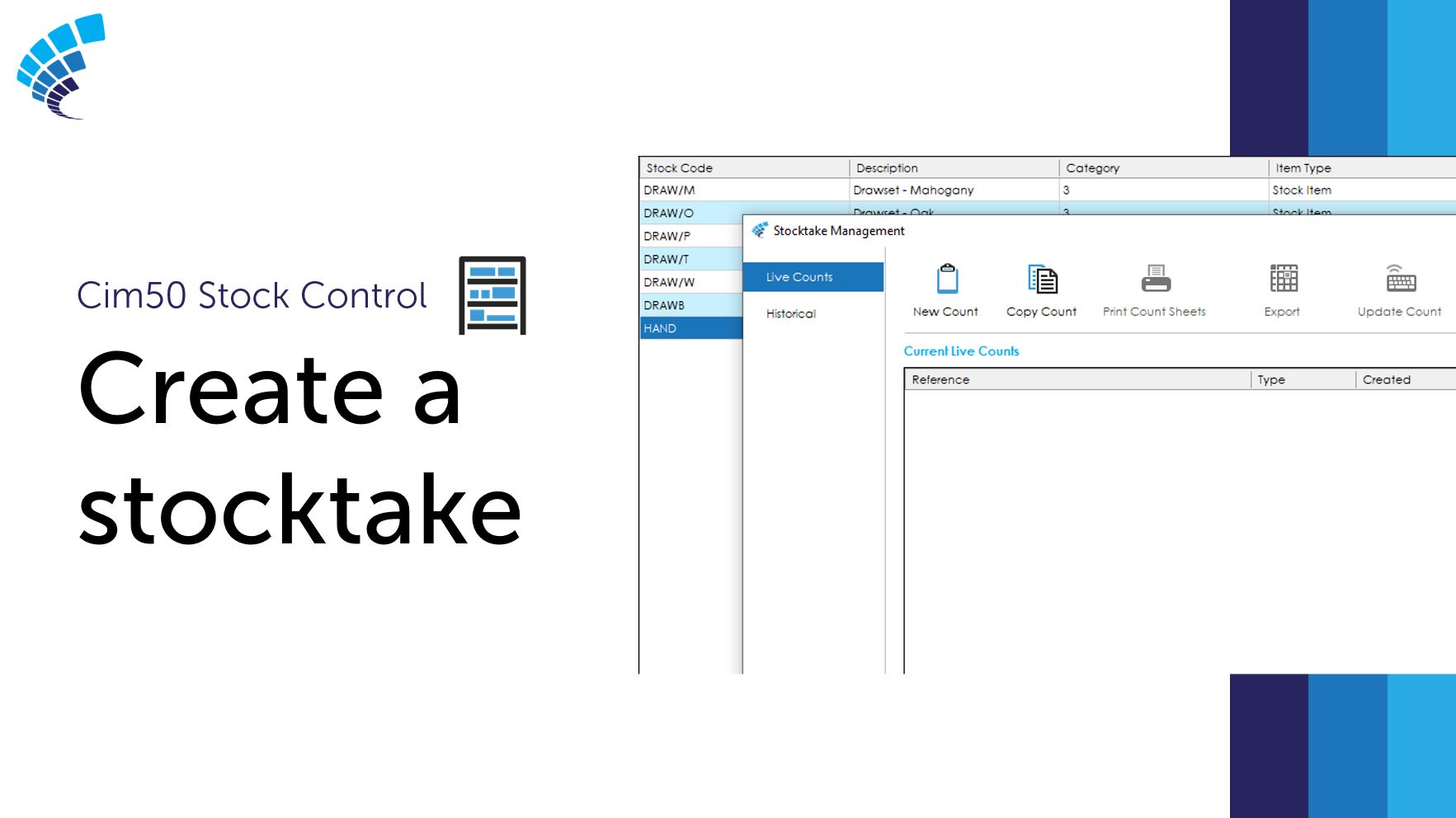
Creating a stocktake in Cim50 is incredibly simple. You can take advantage of this enhanced facility, part of the Stock Control module, to adjust your stock levels, with the ability to halt stock transactions for items currently being counted.
This post aims to show you how easy it is to create a stocktake in Cim50.
Why perform a stocktake?
If you buy and sell products, you need to make sure that you have enough stock available to meet demand. However, you do not want to hold too much, as this can be costly and affect cash flow. Performing a stocktake is therefore essential and a great tool to manage your stock inventory.
The stock take process
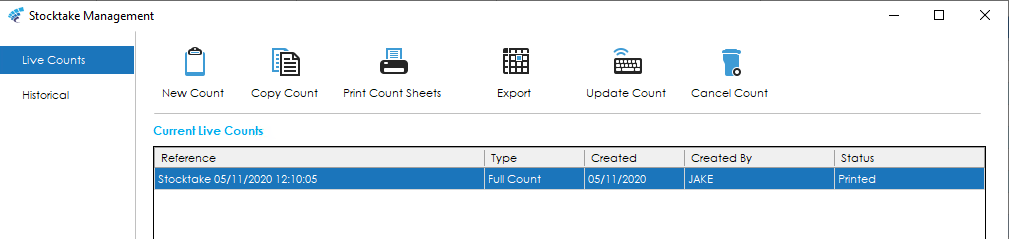
Step 1 – Create a new count
Before you can begin counting your stock, you need to create a new count. This is where you can decide which items you want to count in Cim50. Cim50 stocktake gives you the option to either perform a full count, for every item within the system or count specific items, which allows you to add filters, counting items in a certain category, product group, supplier, etc.
Step 2 – Print count sheets and count the stock.
Use the stocktake count sheet to record the counted stock. When printing your count sheets, you have the option to preview the report, export, or email this to a colleague if required.
The stocktake count sheet displays your item code, description, location, the expected quantity, and the new counted quantity.
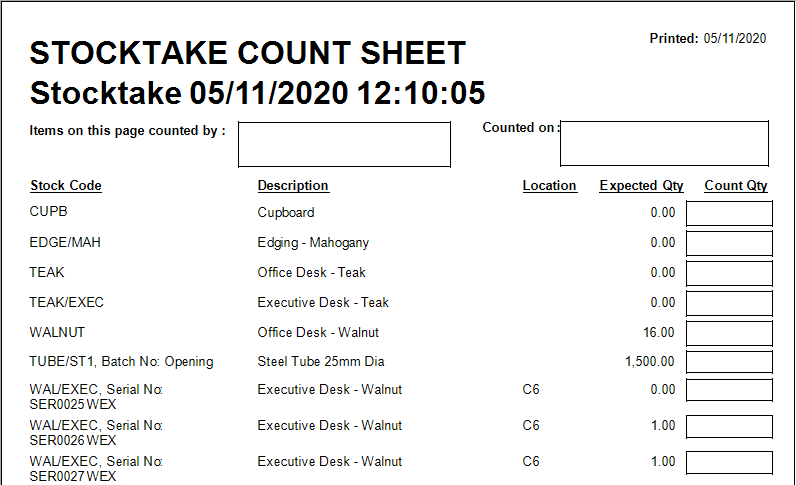
Cim50 gives you the option to halt all stock transactions for items being counted.
Step 3 – Update stock count and post adjustments.
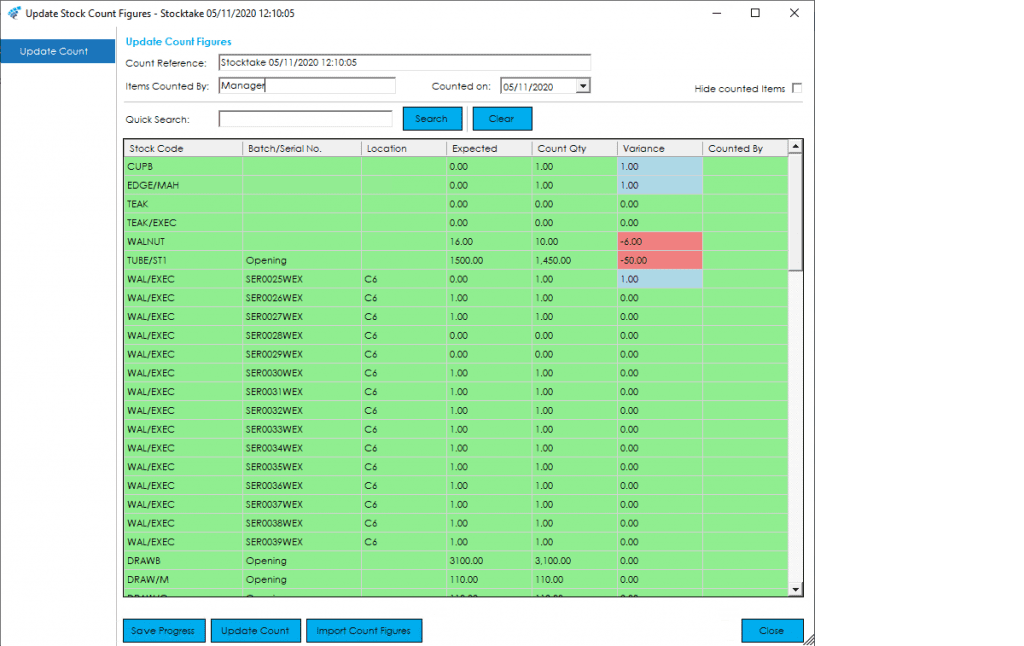
Once you have completed counting your items, you now have the option to amend those counted figures, before submitting and completing the stocktake.
Cim50 provides visual cues to show the variance between your expected quantity and counted quantity, allowing quick and easy validation of your count figures.
If you would like to see how easy it is to perform a stocktake from start to finish, please watch the video below.
Have any further questions about stocktaking and Cim50, please click the button below to contact us.